Controllers & touch setup
Button maps for all three ports, which pads work, how to move the touch controls, and what to expect from tilt steering and wheels.
- Bluetooth + USB pads
- Movable touch controls
- Tilt steering
- Keyboard
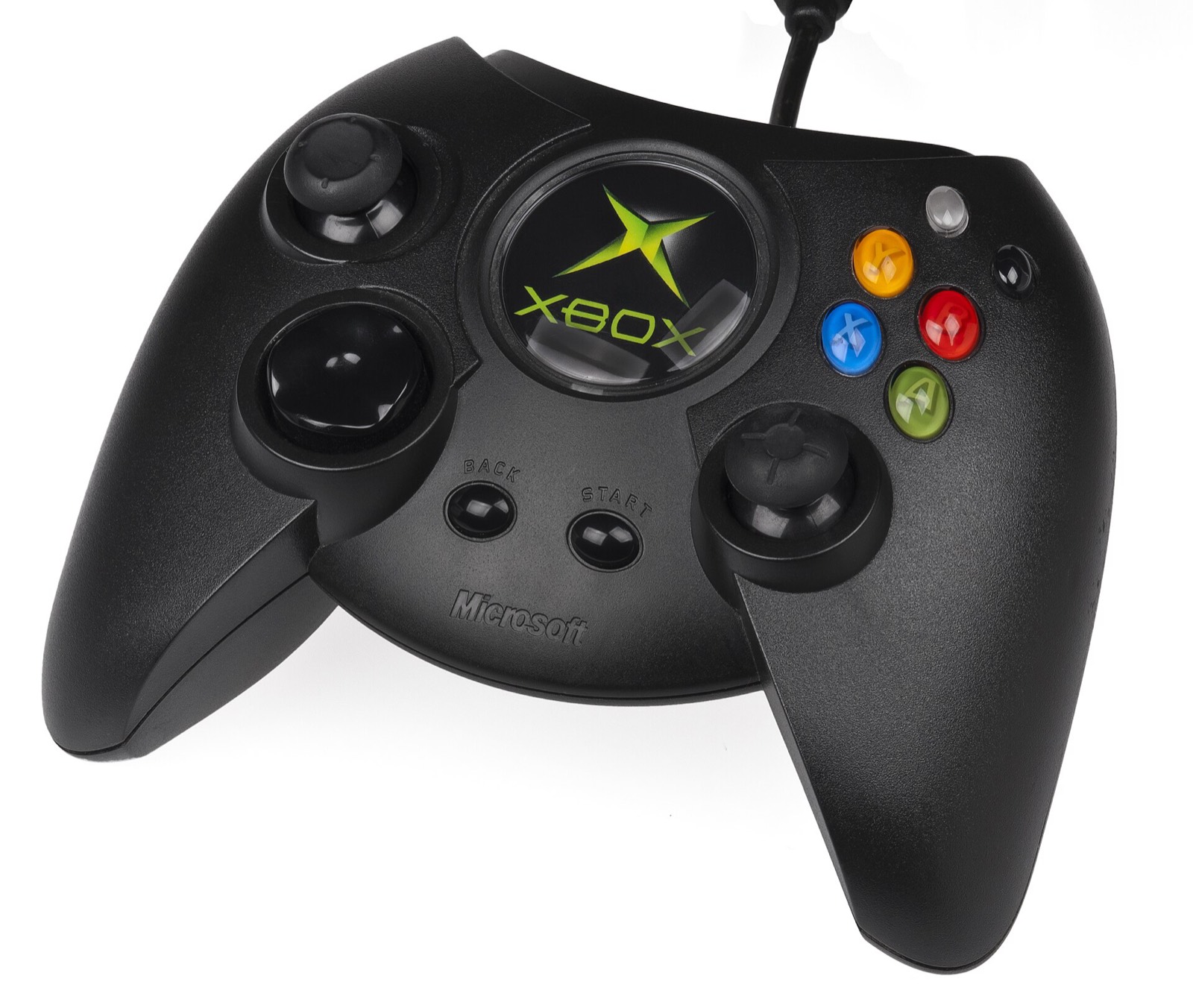
Each port ships a full touch layout, reads Bluetooth and USB pads, and hides the touch controls while a pad is in use. The button names below come from each project’s README and release notes.
Gamepads that work
| Controller | What you get |
|---|---|
| Xbox Wireless Controller | The same button names as the Xbox port’s touch pad; the closest match for Most Wanted for Android. Rumble through SDL3. |
| Sony DualSense | Works as a standard Bluetooth pad. The Xbox port can show PS2 button icons on its touch controls; the codepdbh ports have a PlayStation touch style. |
| 8BitDo Ultimate 2 Wireless | Standard pad over Bluetooth or its 2.4 GHz dongle with a USB-C adapter. |
| GameSir Cyclone 2 | Xbox-layout pad; works as a standard gamepad. |
As an Amazon Associate, this site earns from qualifying purchases. Controller links go to Amazon; this site is not connected with the projects or the controller makers.
Most Wanted for Android: buttons
| Button | Action |
|---|---|
| Left stick | Steer; on touch, wherever your left thumb lands |
| RT / LT | Gas / brake |
| A | E-brake |
| B | Nitrous |
| X | Speedbreaker |
| Y | Look back |
| Right stick | Camera (a drag on the right of the screen) |
| Start | Pause (Android’s Back button) |
| Black / White, Back, D-pad | On screen as on the Xbox pad |
Keyboards work too, with every controller button and both sticks rebindable; F10 opens the settings panel. The touch layout can be Default (triggers in the top corners) or Low Triggers, with opacity and size; Edit Controls Position moves each control, and since v1.3.0 the menus’ touch controls too. Tilt steering was steadied in v1.2.0.
Most Wanted Recompiled: buttons
| Button | Action |
|---|---|
| X | Speedbreaker (since v0.1.12, #445) |
| Y | Look back |
| R3 | Change camera |
| A | Also Enter, for screens that ask for it (v0.1.13) |
| Touch extras | Speedbreaker stopwatch beside N₂O, map (M), messages (Tab) |
| Pad mode | Keyboard keys by default; analog DirectInput joystick as an option |
Since v0.1.5 only external devices count as pads, including pads in keyboard mode, and phone sensors posing as joysticks are ignored.
Underground 2 Recompiled: touch and pads
- Dedicated steering, handbrake, nitrous (N₂O), brake/reverse and throttle buttons.
- Drag-and-drop editor with button scaling and named layouts; Clásico, Xbox and PlayStation styles.
- Gyroscope tilt steering.
- Bluetooth pads since v0.14.4; controls hide again when you keep playing with the pad after touching the screen (v0.14.8). A is also Enter while driving (v0.14.13).
Steering wheels and tilt
None of the three projects documents wheel or force-feedback support on Android. For an analog feel, use a pad’s stick, or tilt steering on the codepdbh ports. The open requests on the trackers include a look-behind button and transmission buttons on touch.

Frequently asked questions
What is the best controller for NFS Most Wanted on Android?
Any Bluetooth pad Android sees as a gamepad. The Xbox Wireless Controller matches the Xbox port’s button names (A e-brake, B nitrous, X speedbreaker, Y look back). The 8BitDo Ultimate 2 Wireless, GameSir Cyclone 2 and DualSense also work as standard pads.
Can I use a telescopic phone controller?
Yes, if it appears to Android as a USB or Bluetooth gamepad; the touch controls hide while it is in use. One open Most Wanted Recompiled report covers a GameSir X5 whose DirectInput mode did not work; keyboard-key mode (the default) is the safer choice.
Do steering wheels work?
No project documents steering-wheel or force-feedback support on Android. The codepdbh ports offer tilt steering with the phone’s gyroscope, and an analog DirectInput joystick mode for pads.
The car steers left by itself. What now?
Fixed in Most Wanted Recompiled v0.1.5 and Underground 2 v0.14.8: built-in sensors that some MediaTek phones expose as joysticks are now ignored, and touch buttons whose release was lost are let go. Update to the newest release.
Can I move the touch buttons?
Yes in all three. Most Wanted for Android: Edit Controls Position, with − and + or a pinch to resize, and Default or Low Triggers layouts. The codepdbh ports: a drag-and-drop editor with saved layouts and Classic, Xbox or PlayStation styles.